Add an RMP proxy
Provider information
Log in to the EVS with your UtahID.
Go to UtahID if you need help with your UtahID account.
Look at the pictures under the “visual help” heading to see how to log in to the EVS with your UtahID.
Estimated timeline: 5 minutesClick on the "My RMP application" button.

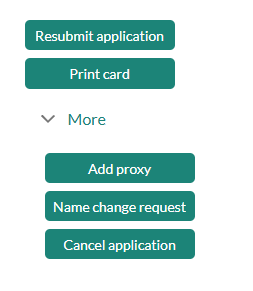
Click the "More" drop down on the right hand side. Then click the "Add proxy" button.
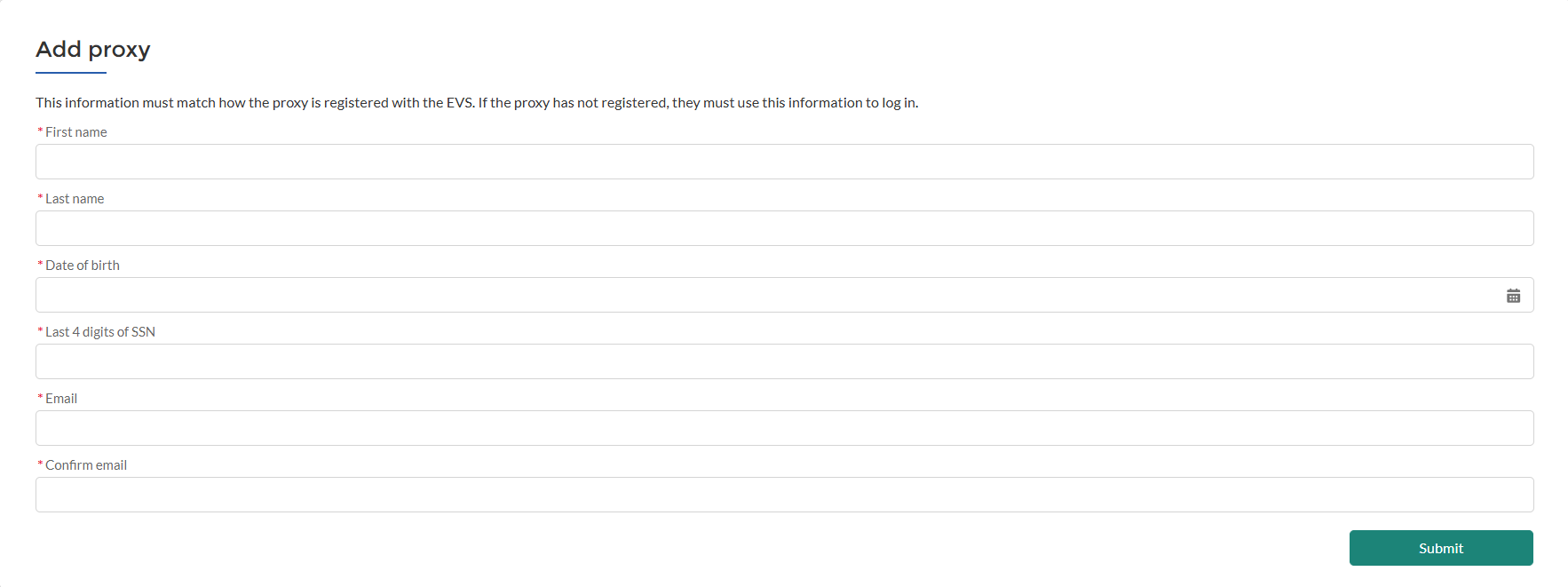
Enter in the RMP proxies information and then click "Submit".
 Estimated timeline: 2 minutes
Your RMP proxy will receive an email after you submit your request.
Once they receive the email, they can create their EVS account and submit their application.
What is an RMP proxy?
Proxies are employees of a medical provider or medical clinic who can review, edit, and submit patient information in the electronic verification system (EVS) on the medical provider’s behalf.
How to add an RMP proxy to your EVS account
You'll add the staff member as an RMP proxy in your EVS account before they have access to your patients’ information in the EVS.